WEBFLOW MAINTENANCE

Your website, kept sharp 
after launch

Updates, new sections, fixes and improvements from the team that built the site, on a monthly plan sized to what you need.

Four silhouetted people work at desks in a dark office, with one standing at a glass board in front of large windows and computer screens.
Sound familiar?

Websites slip when
nobody owns them

( 01 )

Small changes wait for weeks

Updates sit in an inbox because nobody owns the website after launch.

( 02 )

The site slowly gets worse

Speed drops, links break and new pages stop matching the design.

( 03 )

You never know what was done

Hours get billed, but nobody shows you what changed or what improved.

WHAT A MONTH LOOKS LIKE

Three plans,
shown as real work

Each plan is a monthly block of hours. Here is what a typical month of each looks like, so you can pick by the work you need, not by guesswork.
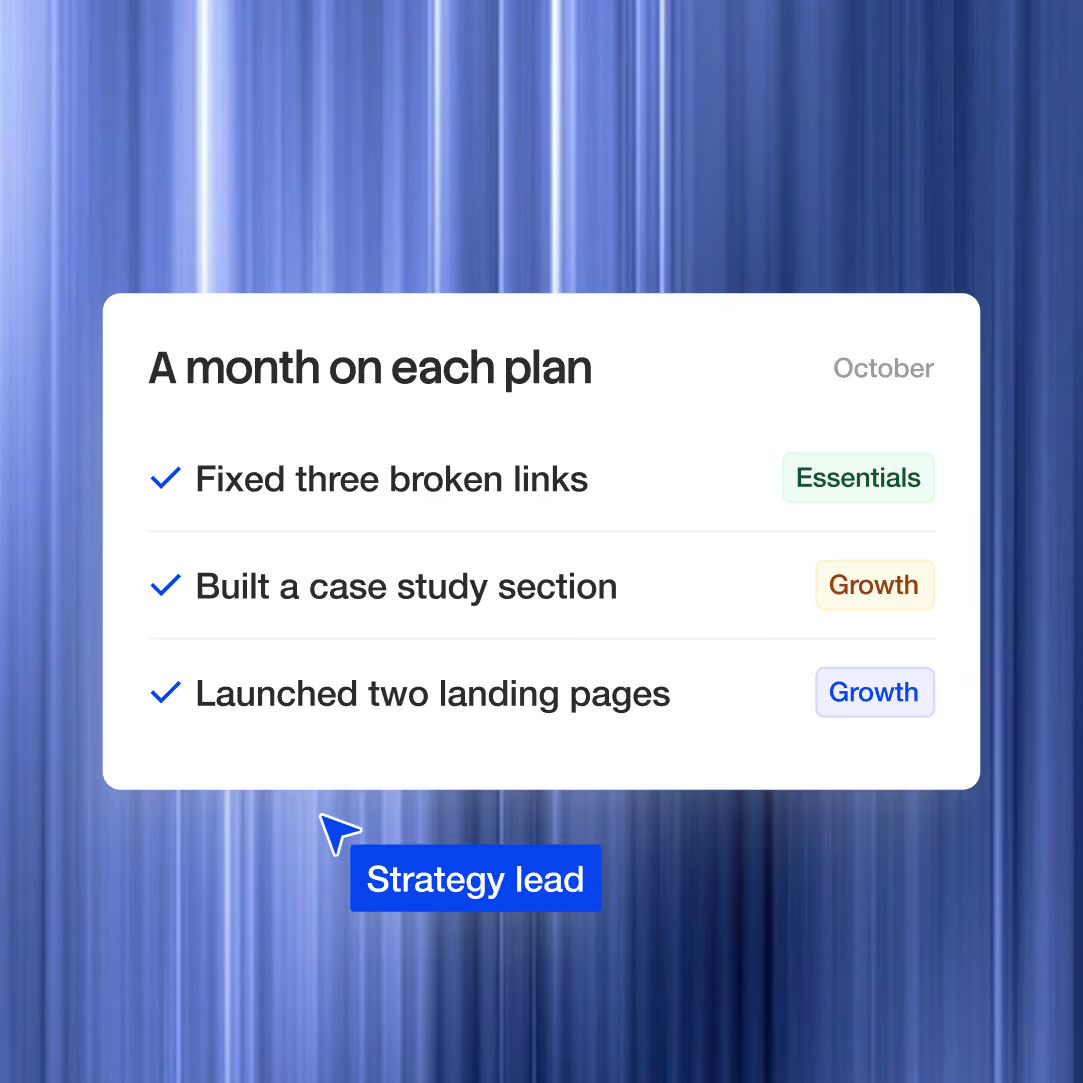
Essentials for updates and fixes
Growth for new sections and content
Scale for new pages, tests and languages
A white plan card on a blue streaked background lists October tasks with checkmarks, category tags, and a blue Strategy lead label below.
HOW A REQUEST MOVES

From request to live,
in your working hours

Send a request, and we acknowledge it, scope it and ship it with a timestamp at every step, on Bangkok and Hong Kong time.
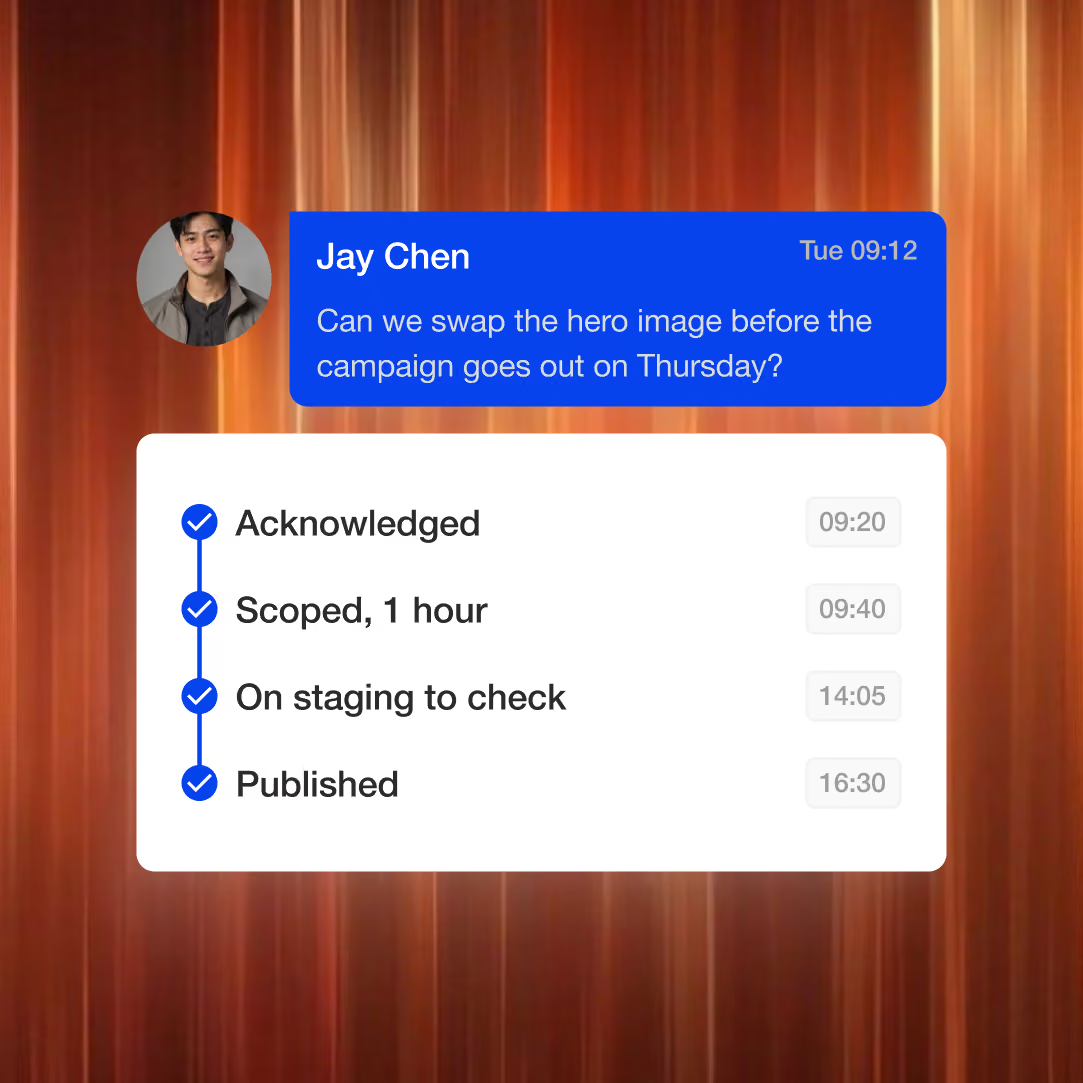
One place to send and track requests
Every request scoped before work starts
Turnaround in your time zone
A messaging interface shows Jay Chen asking to swap the hero image before Thursday’s campaign, with a status panel below listing Acknowledged, Scoped, On staging to check, and Published.
YOUR MONTHLY REPORT

Proof the siteis getting better

Every month you get a one-page report: what shipped, hours used, speed and search health, and what we recommend next.
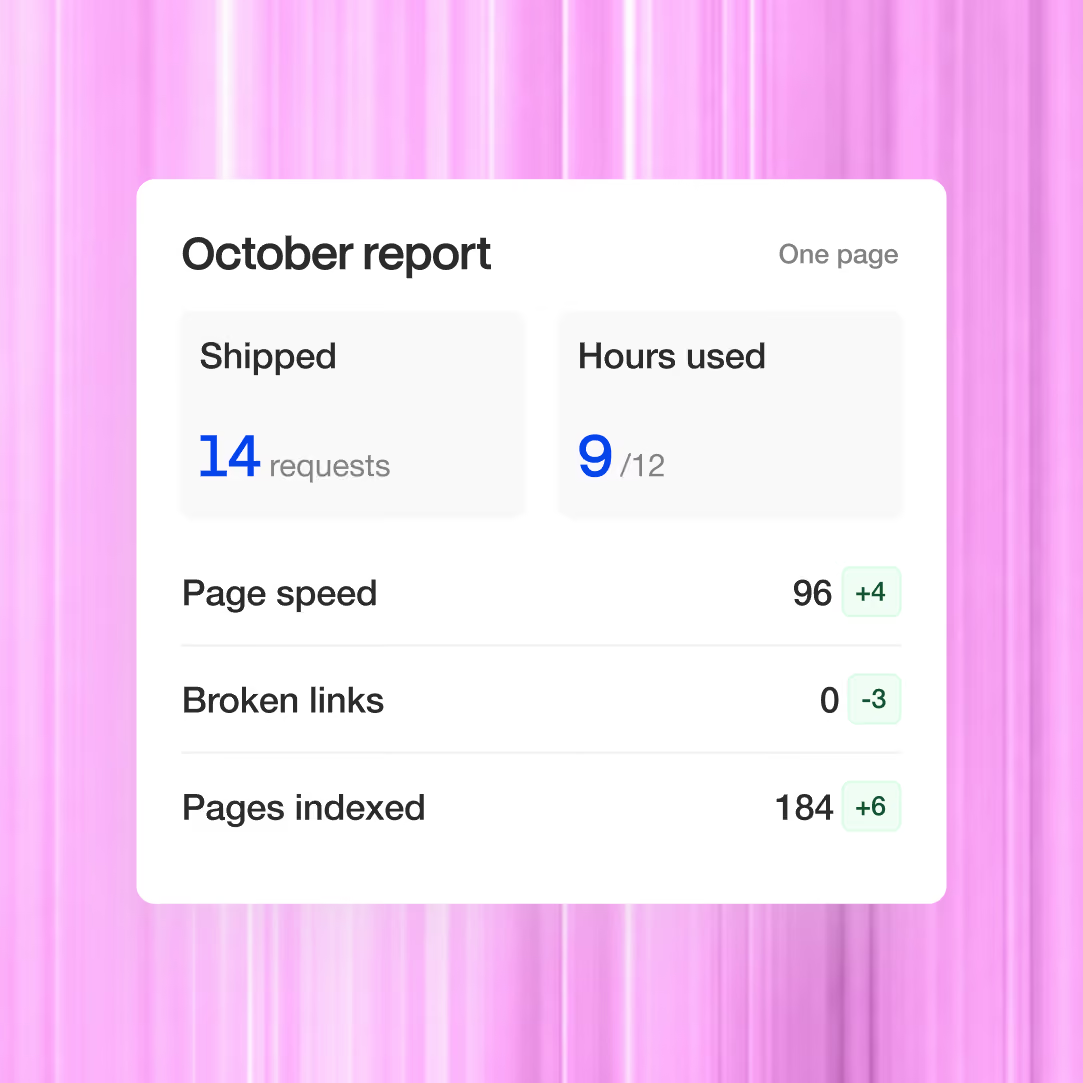
Work shipped and hours used
Speed and search health tracked
One clear recommendation for next month
A white analytics dashboard card titled "October report" on a pink gradient background, showing shipped requests, hours used, page speed, broken links, and pages indexed.
WHAT'S COVERED

Clear about what is in,and what is not

So nothing turns into a surprise invoice.

Covered

Content and copy updates
Text, images, posts and team pages.
Fixes
Bugs, broken links and layout issues.
Performance checks
Speed and health reviewed every month.
New sections and pages
On Standard and Growth.

Not covered

Full redesigns
Scoped separately as a build.
Hosting and domain
Paid directly to Webflow and your registrar.
Running ads
We design creative, but we do not manage media spend.
Migrate or rebuild

Move it as it is, or make it better

Two different jobs. We will tell you which one you need.

3D gear and wrench icon
2 to 4 hours a month

Light plan

For a site that is in good shape and needs keeping that way.

Minor copy and content updates
Small bug fixes
Monthly performance check
A glowing purple document icon with a pencil overlay, shown on a black background.
6 to 10 hours a month

Standard plan

For a site that keeps growing with new sections and pages.

Everything in Light
New sections and pages
Ongoing content publishing
Light conversion experiments
Quarterly strategy check-in
An orange upward-trending bar chart with a rising arrow, shown on a black background.
15 to 25 hours a month

Growth plan

For teams that treat the site as their main growth channel.

Everything in Standard
Regular A/B testing
Monthly strategy work
Expanded CMS development
A conversion roadmap
HOW WE WORK

The firm clients find online finally matches the one they meet

Research & Strategy
Research & Strategy
3 feedback rounds included
Each phase is approved before the next one starts, so nothing gets reworked later.
(01)

Audit and onboarding

We start with a health check of the site and agree priorities with you.
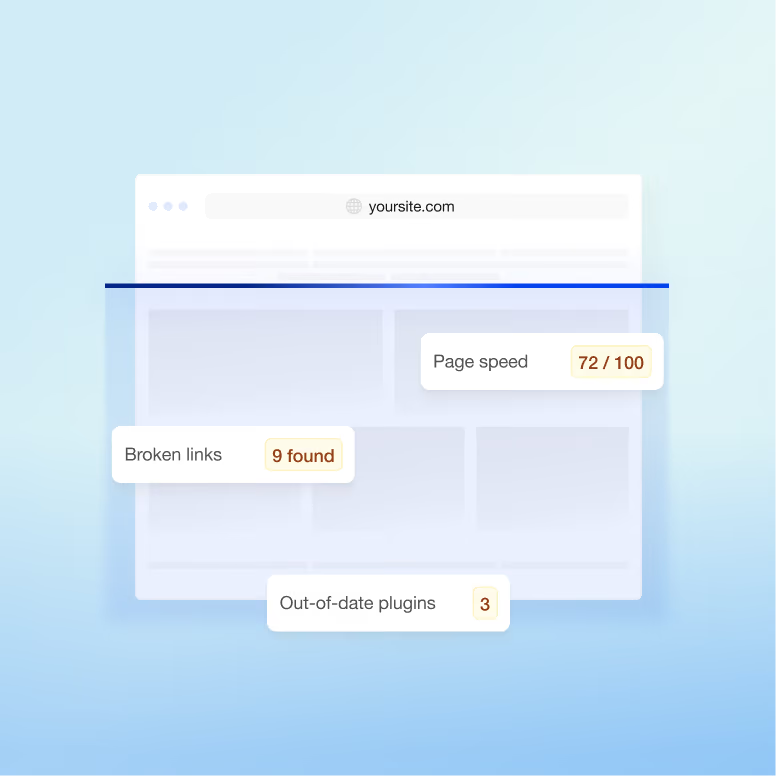
Site health check
Priority list
Access set up
An illustration of a website audit dashboard on a blue gradient background, showing labels for page speed, broken links, and out-of-date plugins.
(02)

Plan the month

The backlog is ranked by impact and sized against your plan.
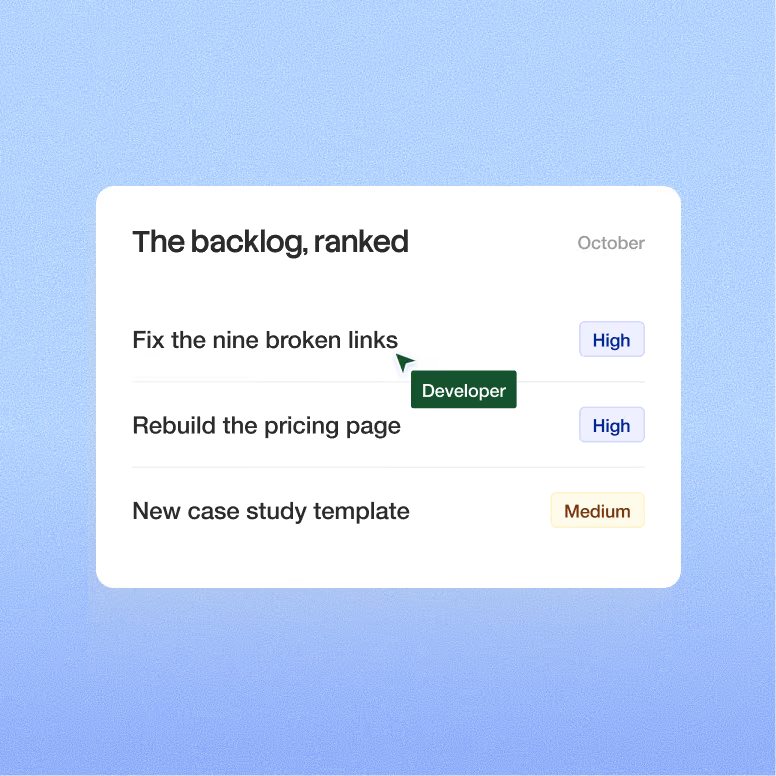
Ranked backlog
Hours budget
Your sign-off
A project backlog card titled “The backlog, ranked” shows three tasks with priority labels for October, including “Fix the nine broken links,” “Rebuild the pricing page,” and “New case study template,” with a green Developer tag.
(03)

Request and scope

New requests are scoped with an estimate before any time is used.
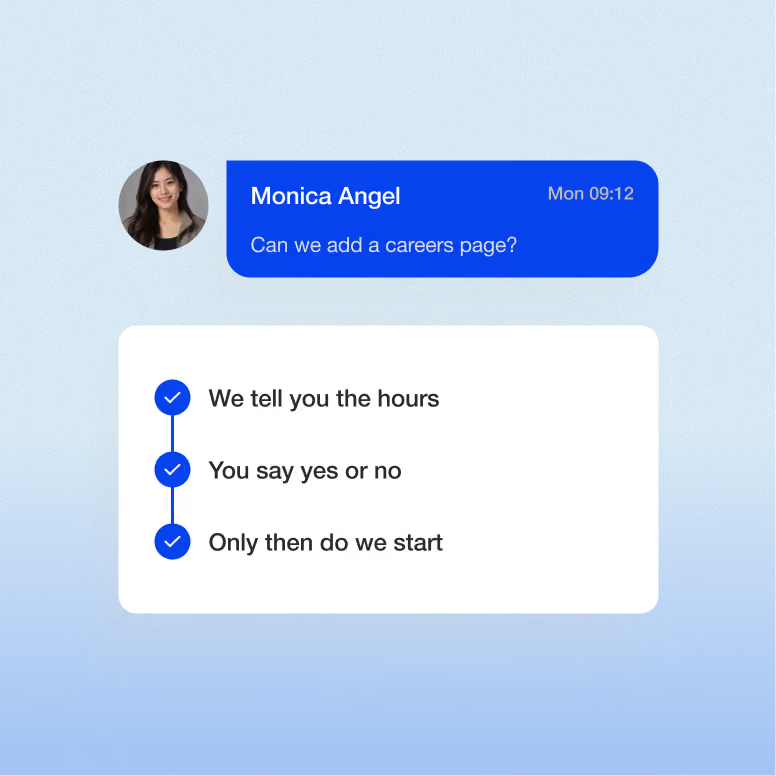
Estimate first
Approve or reprioritise
No surprise hours
A chat-style graphic shows a profile photo beside a blue message from Monica Angel asking, “Can we add a careers page?,” above a white card with three checked steps on a blue gradient background.
(04)

Build and QA

Changes are built, checked on every device and in every language, then published.
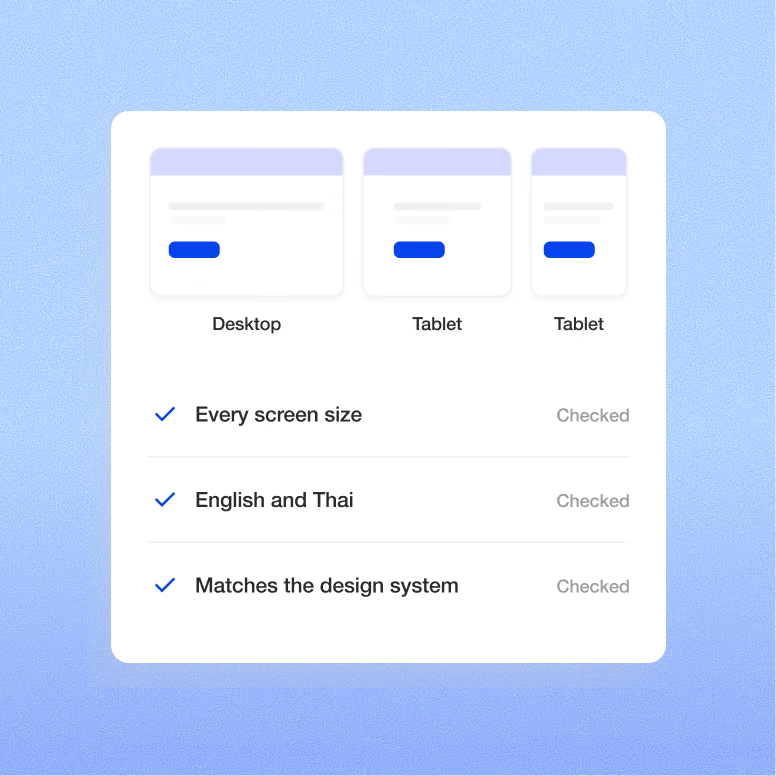
Device testing
Language check
Design kept consistent
A white settings card on a blue gradient background shows three device preview tiles labeled Desktop and Tablet, with checkmarked rows for every screen size, English and Thai, and matches the design system.
(05)

Report and recommend

Each month ends with a report and one recommendation for the next.
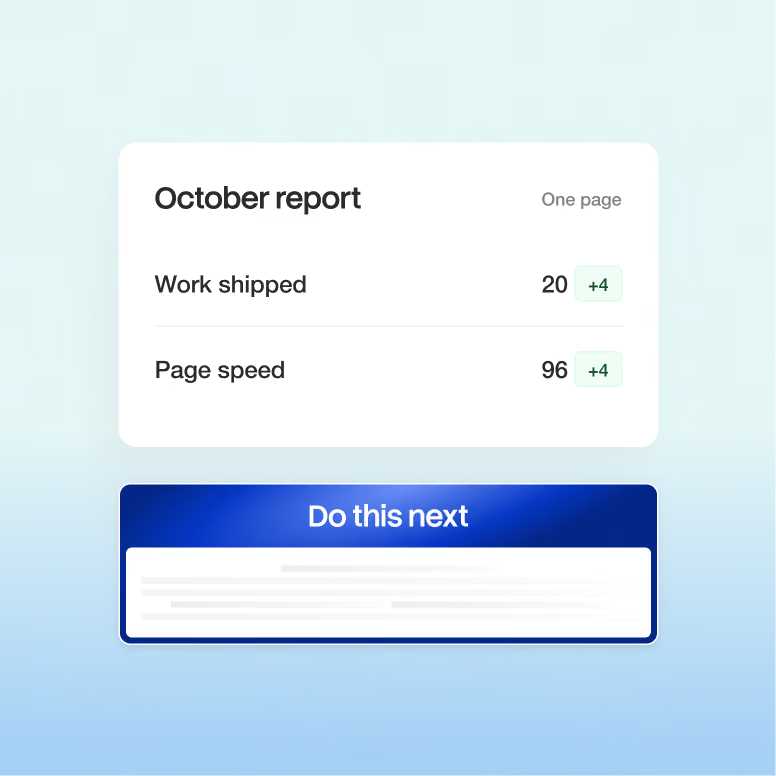
Monthly report
Hours used
Next recommendation
A dashboard-style report card labeled October report shows Work shipped and Page speed metrics above a blue Do this next panel on a gradient background.

"We went from a cookie-cutter template to a custom website that properly reflects the brand… Kevin is super easy to work with, always one message away."


Portrait of Max Chernov, YouTuber
Max Chernov
YouTuber, 430k subscribers
Why Superpresence

Why companies keep usafter launch

Key benefit illustration

Built in Asia, written for buyers abroad
We operate in your timezone, understand Asian businesses, and craft content that resonates with English-speaking buyers—never sounding translated.
Key benefit illustration

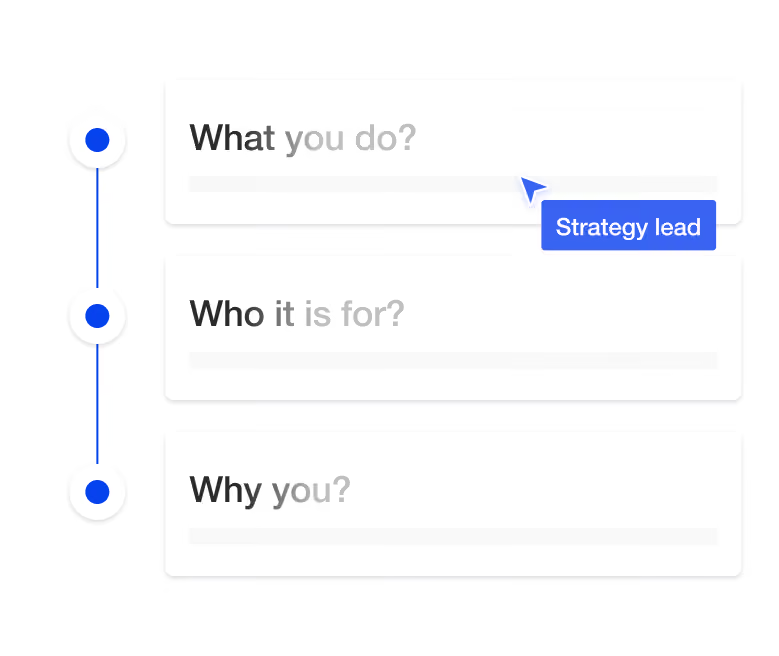
Strategy before pixels

We don't start designing until what you do, who it is for and why you are clear. Design amplifies clarity; it can't create it.
Key benefit illustration

Copy written by people, in English

Expert copywriters write every page. Not translated, not generated, and built around how your buyers decide.
Key benefit illustration

The whole senior team, one roof

Strategy, design, copy, development, conversion and QA in one accountable team, with nobody for you to hire or manage.
Key benefit illustration

Built to convert, engineered for search
Conversion structure on the surface; clean structure, schema and speed underneath, so search and AI tools read you correctly.
Key benefit illustration

Depth over volume

Every project gets senior attention for as long as the problem takes, not a slot sized to a subscription.
The Superpresence Difference

The three options in front of you

Each option suits a different need. Here's how they compare for a firm like yours.

Who does the work
When something breaks
When they are away
Commitment
Knows how the site was built
Superpresence
Senior team: design, development, copy
Fixed within 24 hours
The team covers it
By the quarter
Yes, when we built it
In-house hire
One person, one set of skills
When they are free
Work waits
A permanent salary
Has to learn it
Freelancer
One person, between other clients
When they are available
Work waits
Job by job
Has to learn it
QUESTIONS WE HEAR

Before you ask

What counts toward our hours?

Any work on your Webflow site: content updates, new sections and pages, bug fixes, SEO and speed tasks, and conversion tests on the higher plans. Each request is estimated first, so you approve the hours before any are used.

How much does Webflow maintenance cost?

It depends on how much changes on your site each month. Plans are hours-capped: Light (2 to 4 hours), Standard (6 to 10 hours) and Growth (15 to 25 hours), each at a fixed monthly fee set out in your proposal. Webflow hosting and your domain are paid directly to Webflow and your registrar.

If your site only needs the odd text change, a plan is more than you need. Your team can make those edits in Webflow's Editor, and a freelancer can handle the occasional fix. Plans pay off when the site changes every month.

Can you maintain a site you didn't build?

Yes, if it's on Webflow. Every new maintenance client starts with a health check: how the site was built, what's broken and what to fix first.

If the build is fragile, with messy styles or a CMS that fights your content, you'll see the cost of fixing it before it uses up your monthly hours. Sites on WordPress or another platform need moving first, which our Webflow migration service covers.

Can our team still edit the site?

Yes. Your team keeps full Editor access and can publish posts or update pages whenever it likes; the plan covers the work that needs a designer or developer.

The monthly report shows what we changed, so both sides know who touched what. If an in-house edit breaks a layout, fixing it is a normal request against your hours.

What should we look for in a Webflow maintenance partner in Asia?

Look for a team that works in your hours, estimates every request before billing, and shows you what changed each month. Superpresence provides Webflow maintenance for companies across Asia Pacific, from Hong Kong, Singapore and Thailand to Australia, from the senior team that designs and builds sites: design, development and English copy under one roof.

Our team has collectively launched 48+ websites, so new sections match the original design system and stay consistent with it. Every change is checked across devices before it's published, and regular updates keep your pages current, which matters when buyers ask AI tools about you and then check the site.

Can we change plans or pause?

Yes. You can move up or down a plan as the work changes, and the terms for plan changes, minimum term and pausing are set out in your agreement before you start.

Not sure which plan fits? Book a call, tell us what usually gets stuck, and we'll recommend one.

Got more questions?
Book a call with Kevin
YOU'VE REACHED THE END, SO NOW…

Want someone to own the website?

Tell us about the site and what usually gets stuck, and we will recommend the right plan.

Start your project