Website strategy: Eight decisions you make before hiring a designer


Key takeaways:
- Set the strategy before design starts. Define the site’s goal, audience, positioning, content, structure, requirements, budget, and success measures.
- Know who decides what. You set the business direction. Your designer leads the visual decisions. Agree on shared choices, such as the sitemap and platform.
- Use the brief to compare designers. Send the same brief to each candidate, then compare their proposals, scope, assumptions, and prices against your needs.
A website strategy sets the direction for your site: who it serves, what visitors should be able to do, and how the site supports your business goals. Making these decisions before hiring a designer helps you explain what you need, compare proposals on the same basis, and avoid expensive changes later.
If you’re planning a new site or redesign, here are eight decisions to make first. They run from your audience and goals to content, features, budget, launch timing, and how you’ll measure results.
Some answers may already exist in your business strategy. The goal is to make them specific to your website and clear enough to guide design.
We’ll explain which decisions are yours, which your designer leads, and which you should make together. You’ll also get a fill-in brief to help you compare proposals, choose the right designer, and give them a clear starting point.
Here, “designer” means the freelancer, studio, or web design agency you’re considering.
Set the strategy first. Leave visual choices for later.
Six things belong in a website strategy: your goals, your audience, your positioning, your content, your site structure, and how you'll measure success.
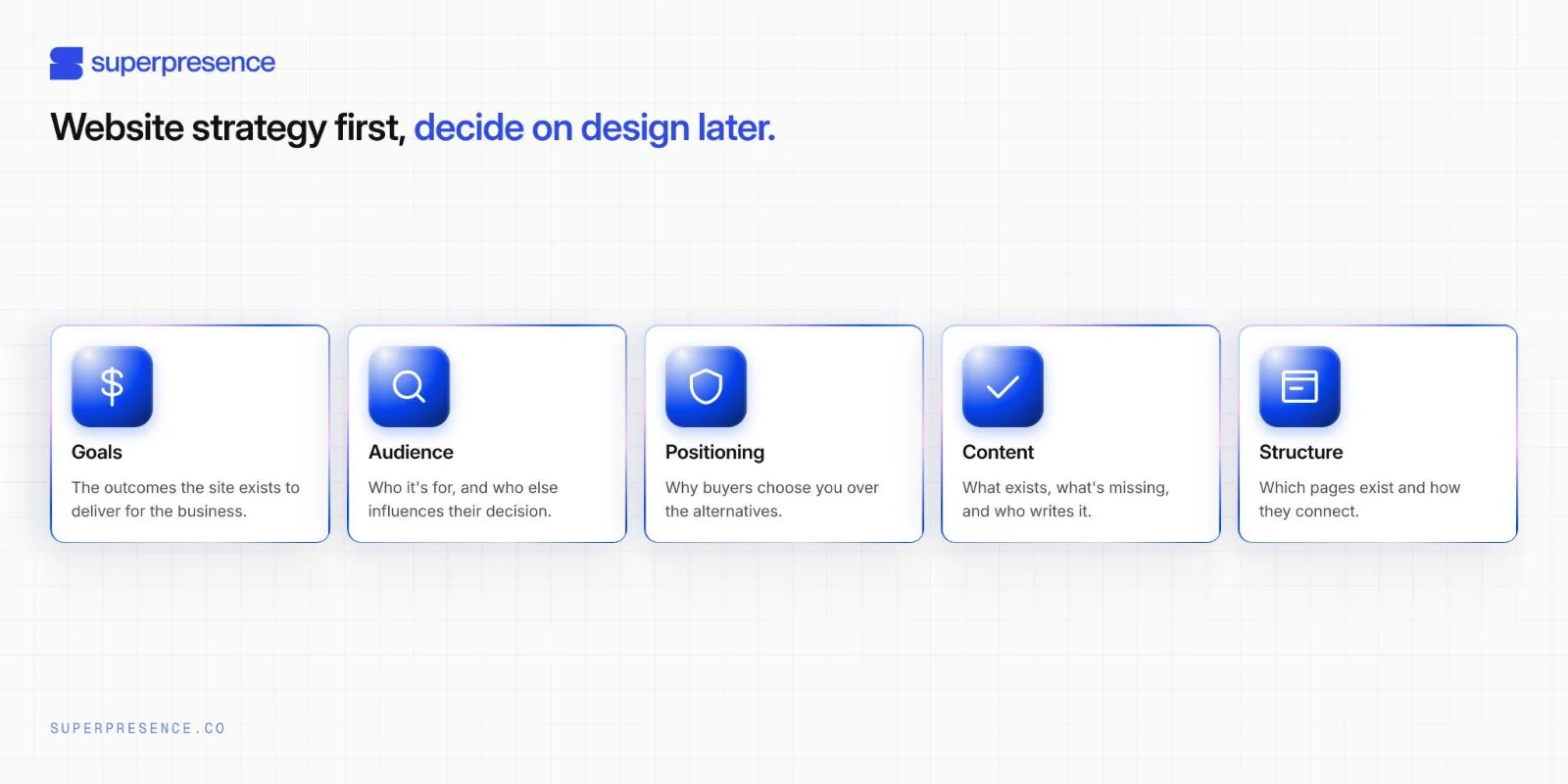
Lock in your goals, audience and content first. Colours, type and layout come after. Decide them with your designer once the strategy is set.
Who decides what: you, your designer, or both
You decide the strategy. Define the problem you want your website to solve. Name your audience, your positioning, content ownership, site budget, and sign-off.
Your designer designs. From your strategy, they'll build you a design system. This system will include your colours, typography, spacing, layouts, interactions, and page templates, along with guidance on how your team should use them. A design system like this keeps your site consistent as you add pages and make updates.
Share decisions for the sitemap and platform. You bring requirements, your designer recommends.
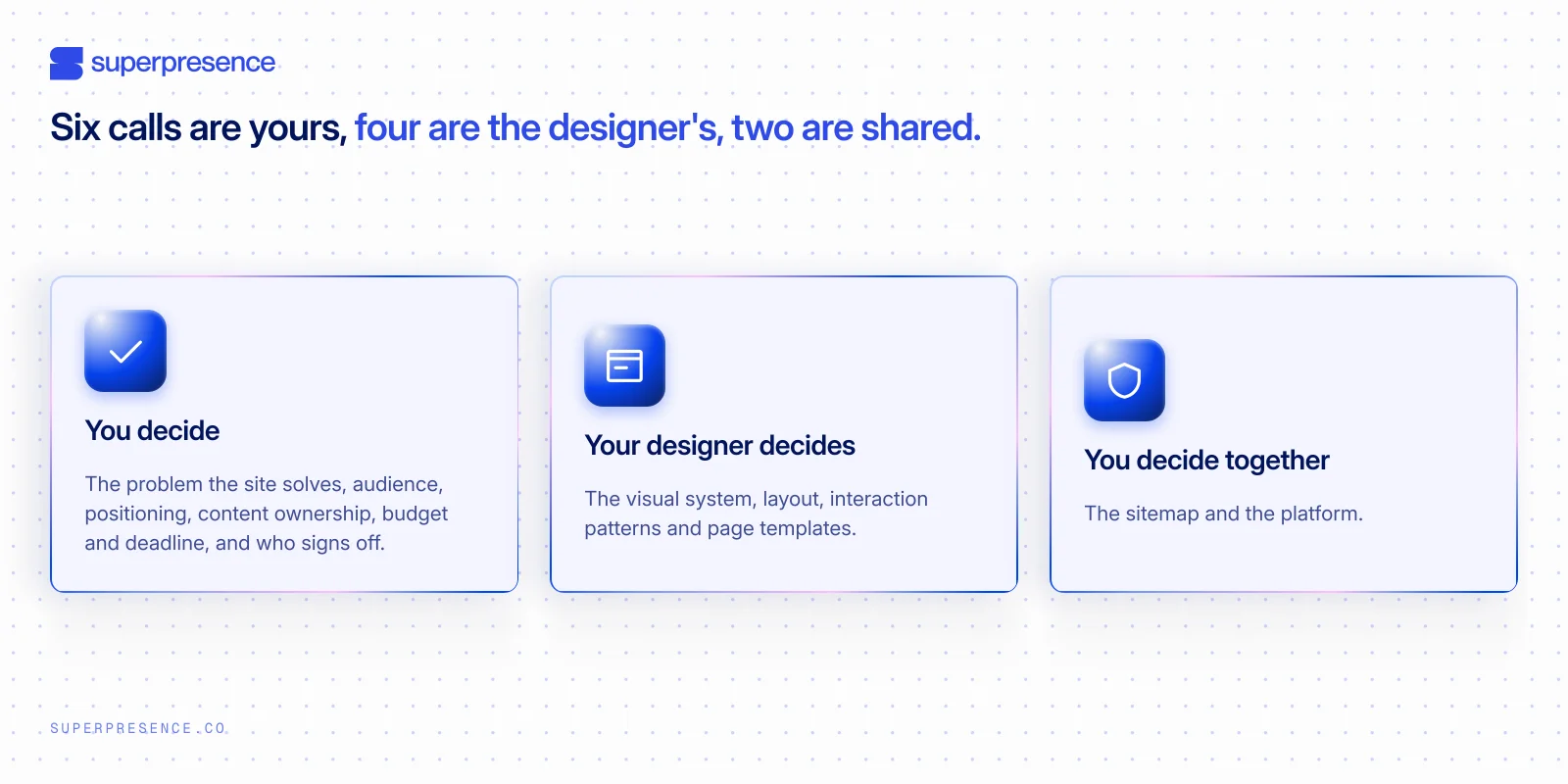
Website strategy divides the decisions. You set the goals and content. Your designer leads the visual system.
Take this as your starting point. The exact split can vary by project. A small studio may ask you to make more decisions, while a full-service agency may handle more for you.
For a custom technical build, some responsibilities may overlap. Before work begins, agree with your designer on who will make each decision.
Share your vision, trust their expertise
Leave room for your designer to do their best work. When you arrive with a finished homepage layout, they’re left choosing between challenging a concept you’re attached to or building exactly what you’ve drawn. You could end up paying to redesign your own mock-ups.
Pro tip:
If you’ve saved screenshots that capture your style, share them with your designer. They’ll help set the direction, and your designer will bring your preferences to life.
Make these 8 decisions before you hire a designer
Make these eight decisions in order before you hire a designer, because each one informs the next. Together, they shape your website strategy framework. By the end, you’ll have a clear brief your designer can act on.
Choose the site’s primary goal
Start with the business problem your website needs to solve. It may need to attract more of the right visitors, appear in AI search results, or turn more visitors into enquiries.
Then set one measurable business goal and choose one primary action for visitors to take, such as requesting a quote, making a purchase, or booking a call. The action is what visitors do. The goal is the business result it should support.
Be specific. “Generate ten qualified fit-out enquiries a month” is a clear goal. “Request a quote” is the action. “Look professional” is too vague to guide the work.
That goal guides page priorities and calls to action. It tells your designer which pages to emphasise, what action belongs in the header, and what the homepage should ask visitors to do.
Identify your audience
Start with the people the site needs to reach and the decision they need to make. Be specific.
- Who is your primary audience? Name the people you need to reach, such as business owners, facilities managers or marketing managers. “Everyone” gives your designer little to work with.
- Where are they in the buying process? People still defining the problem need clarity on their options. Those comparing suppliers need proof, pricing and process. Those ready to act need a clear next step. For each group, note what they know, what they need to see before they trust you, and what could stop them from acting.
- Who else shapes the decision? Include anyone with a say, such as a business partner or manager. A facilities manager may look for evidence and detail, while the business owner approving the spend needs confidence in the price and process. The site should address both.
Use these answers to decide what each page needs to prove and what action it should lead visitors to take.
Also define the regions you serve and the languages your site needs. They affect the sitemap, content workload and budget. Confirm them before the quote, because adding them later can mean extra pages, translation work and cost.
Clarify why buyers should choose you over alternatives
Give buyers a clear reason to choose you. Sum up your position in one sentence that says what you offer, who it’s for, and what advantage it gives them.
Make that advantage specific. “Better service” could mean anything.
For a software company, “customer relationship management (CRM) integration” names a feature, while “Our platform connects to your CRM, so sales teams spend less time entering data” explains the benefit. Use a claim like this only if it’s accurate and you can support it.
Next, compare your offer with the options buyers actually consider: a competitor, an in-house solution, a template, or doing nothing. A difference matters when it solves a problem buyers care about. Back it with proof, such as results, credentials, or a clear service commitment.
Once your position is clear, bring it to your website designer. It will help shape the design system's visual tone, the proof you lead with, and the order of information.
List the content you have and what needs to be created
Inventory your existing content. List your pages, posts, documents, images and other assets. Mark each to keep, update, merge or remove, and add any new content the site needs.
For an existing site, George Washington University’s (GWU) guidance on web strategy suggests a content inventory before planning the site structure. For a new site, it recommends starting with a content outline.
As you scope web design services, assign a writer and approver to each gap in your content inventory. Decide whether the copy will be ready before design starts or written as the design takes shape.
Set a deadline for each item, and include writing and approvals in the project scope and timeline. Without clear ownership and deadlines, content gaps can delay launch.
Decide what content your site needs
Choose pages based on what buyers need and what the site must achieve. Then map how those pages fit together in a sitemap.
GWU’s guide recommends card sorting. It works by identifying key content, grouping it, then using those groups to plan the site’s navigation.
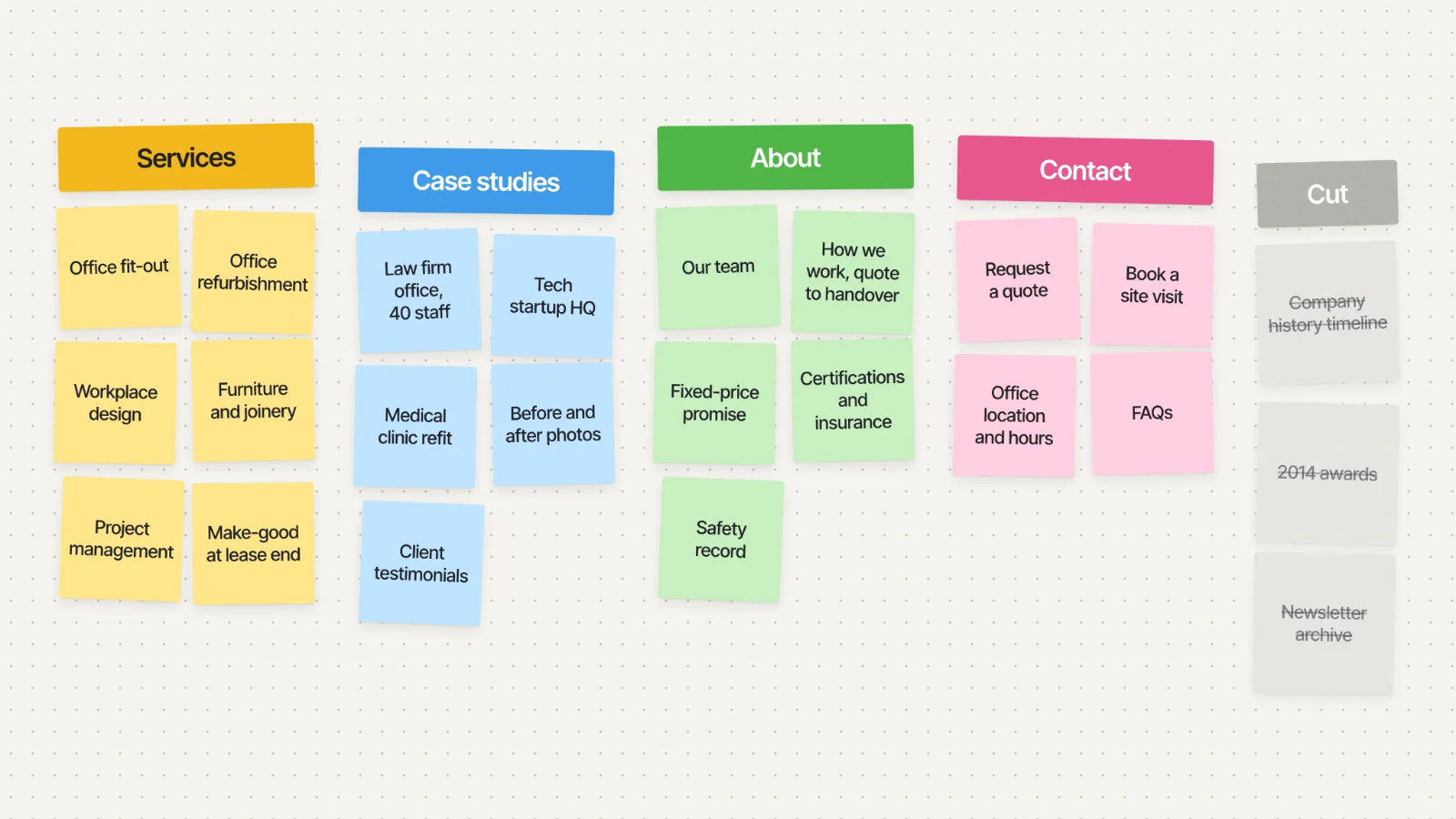
Card sorting: cluster content topics on sticky notes, then let the groups suggest your pages.
For a first draft, write one page or content topic on each card, then:
- Group related cards under clear categories.
- Name each group using language your buyers will understand.
- Set the hierarchy: place main pages above the supporting pages beneath them.
Your team can do this with sticky notes or online tools such as Miro and FigJam.
Digital card sorting works well with a remote team. You and your freelancer can group content and agree on labels in the same shared board, wherever you’re based. The video below shows how to run a card sort in FigJam.
FigJam for User Research Card Sorting
If you need to check whether buyers understand your groupings and labels, Optimal Workshop supports online card-sorting research and analysis. An internal sort is useful for a draft, and testing with buyers checks your assumptions.
Once the groups are clear, turn them into a sitemap. It gives your designer a structure for the site’s navigation and page hierarchy.
Pro tip:
Every page adds writing, design and maintenance. Keep only the pages that support a business goal or answer a buyer’s question.
Plan the platform, integrations, and ongoing support
Define what the site needs to do. Separate must-haves from nice-to-haves, including:
- Site functions: contact forms, bookings or payments
- Integrations: CRM, email marketing and analytics
- Content: a content management system (CMS) for publishing pages or a blog, plus who can edit and approve content
- Requirements: privacy, security, accessibility, language and future growth needs
Then plan who will manage the site after launch. Name who updates content and how often, who handles technical upkeep such as backups and fixes, and what ongoing support and costs to expect. The platform should fit the people who will use and maintain it.
Once these requirements are clear, compare Webflow and Wix against them. Both are great platforms, but each serves different needs. Choosing the wrong platform can lead to unnecessary workarounds now, or an expensive migration later as the business grows.
“Requirements before platform. Always. If you choose the tool first, anything you need later becomes a workaround.” Kevin Chen, Superpresence
Confirm the budget, deadline, and approver
Set your budget, deadline and approval process before the first discovery call. These details shape the project’s scope, schedule and decision-making.
Start with a realistic budget range. It helps the designer recommend a scope that fits your investment and show what could be added or prioritised at different price points. A range gives them room to explain the trade-offs, while a single figure can make that harder.
Next, set your launch deadline and explain what’s driving it. A trade show or contract renewal, for example, gives the designer a real date to plan backwards from. It also helps them identify which milestones are fixed and where there’s room to adjust.
Finally, name the person who gives final approval and agree on how many feedback rounds are included. If several people need to weigh in, decide who will gather their input and make the final call. This helps prevent conflicting feedback from delaying the project.
With these expectations clear, the designer can scope and price the work against your budget, deadline and approval process. You’ll know what’s included and where trade-offs may be needed before the work begins.
Choose how to measure success
Define the result you want, how you’ll measure it and when you’ll review it.
Choose one primary metric tied to your business goal: qualified enquiries, completed bookings or sales. Then set a target and timeframe. The metric is what you count, and the target is the result you want, such as ten qualified enquiries a month.
Before launch, confirm how you’ll track that result and where the data will come from, such as your CRM, booking system or analytics. Define what counts as a qualified enquiry, and assign someone to review the numbers. Supporting metrics, such as conversion rate, can help explain why results change.
Pro tip:
Review monthly as a starting point, then adjust to your traffic and sales cycle. At each review, compare results with your target and decide what to improve.
Turn your answers into a website strategy brief your designer can use
Use this website strategy template to prepare for your first conversation with a designer.
How to fill in the template
- Write your answers in the third column. Rough answers are better than blanks.
- If you’ll make a decision together, write “Discuss with designer.”
- If you’re unsure what to choose, write “Ask the designer to recommend.”
For ideas, see the fourth column for examples that show how much detail is enough.
| Decision | Why your designer needs it | Your answer | Worked example (illustrative) |
|---|---|---|---|
| 1. What should the site achieve? | Sets page priorities and the call-to-action hierarchy | Ten qualified fit-out enquiries a month. Primary action: request a quote | |
| 2. Who does the site need to reach? | Determines tone, page depth and who the copy must convince | Facilities managers at mid-size firms. Owner signs off | |
| 3. Why should buyers choose you? | Sets the visual tone. Without it, tone is guesswork | Fixed price and one point of contact, quote to handover | |
| 4. What content do you have, and what still needs to be written? | Pages can't be designed before the content exists, so this drives the timeline | Twenty case studies in hand, and the managing director writes anything new | |
| 5. What key content does your site need? | Defines scope and gives the design a structure to hang on | Home, services, case studies, about, contact | |
| 6. Which platform and integrations does the site need? | Requirements come first, so the platform gets chosen against a list | Forms that sync to the CRM, site edited monthly by the office manager. Platform: designer to recommend | |
| 7. What’s your budget, launch date, and approval process? | Determines what can be built and by when, and names who signs off | Budget range set and shared with candidates. Hard deadline: September trade show. Approver: managing director | |
| 8. How will you measure whether the site is working? | Gives the design targets to serve and a review point to judge them by | Ten qualified enquiries a month. Cadence: designer to recommend |
Make a copy of our ready-to-use website strategy template, then fill in your goals, audience, pages and budget.
Use the same brief to compare designers
Send the same brief to every designer before the first call, then compare proposals against it.
Which decisions did each designer question or ignore? Notice whether their questions show they understand your goals, audience and requirements.
Different pricing models won’t make quotes directly comparable, but the brief gives you a shared basis for checking scope and assumptions. Compare each proposal against your sitemap.
Check what it includes for content, integrations, revisions, launch support and ongoing maintenance. Note what’s excluded and whether extra costs apply.
Also assess how each designer connects the work to your brief. Do they explain how their recommendations support your goals? Have they flagged trade-offs or decisions that still need to be made?
Look for these two flags:
- The quote that arrives with no questions. It isn't automatically a bad sign, so ask what assumptions they made, especially for anything you marked “designer to recommend”.
- The proposal that leads with visuals. If mock-ups arrive before your goals get a mention, ask what each direction is meant to achieve. Their answer will show whether the design is tied to your brief.
Use these flags to guide the conversation, and pay close attention to how the designer explains their assumptions and decisions.
If you're still choosing who to send your brief to, our guide to the web design process shows what happens after you hire.
Start with rough answers. Refine them with your designer.
These eight decisions aren’t a test you need to pass before hiring a website designer. They give your designer the business context to make sound design choices instead of guessing.
You bring the business answers. Your designer leads the visual decisions. The choices in between need your input and their expertise, so agree on them together.
Not sure whether your website needs a redesign or a fresh start? Get a free website review. We’ll assess your site and help you work out what makes sense.
FAQ
How long should it take to put a website strategy together before hiring?
Days, not weeks. A working brief is rough answers written down, and most of the eight decisions already exist somewhere in the business.
The work is getting them onto paper. Scope varies with the project, so treat any fixed preparation schedule as a guess.
Should I pay the agency to handle strategy or discovery?
Often, yes. Your brief is what you bring into discovery: the paid phase where your designer tests your assumptions and researches the audience before design starts.
The business model, the budget and the goals stay yours either way, and paying for positioning or discovery support is a legitimate buy.
Do I need all this for a redesign or only for a new site?
Yes. You need a strategy for both, and especially for a redesign. Otherwise, old problems can carry over into the new design.
How detailed should the brief be before I send it?
Rough is fine. One honest sentence per decision is better than a blank or a guess.
When unsure, know that designers expect open questions. Include them in the brief, since they show where you need to talk things through.


![Portrait of a Kevin D Chen [Dark]](https://cdn.prod.website-files.com/6963b46b73d13c416619d604/696770db31b454394fd4709a_43e4f0a4b187c1f51dd5024dd9980a60_kevin-photo.avif)